Together we plan your app and build it for iOS and Android from a single React Native codebase, with Expo handling builds, updates and store releases. On this page you can see how a project runs, how long it usually takes and what happens after launch.
Price
Fixed price after a scoping call
Timeline
6-12+ weeks
What is included
One React Native + Expo codebase for iOS and Android
Interface design made for your app
Written scope and a price agreed before work starts
Weekly preview builds you can install on your own phone
Accounts, push notifications, payments and subscriptions where needed
Crash reporting and basic usage analytics
App Store and Google Play submission, including rejection fixes
Source code and store accounts handed over in your name
What React Native app development means in practice
React Native lets one team write an app once and ship it to both iOS and Android. The interface is rendered with real native components, not a web page inside an app, so it scrolls, animates and responds the way people expect on their phone.
Expo sits on top of React Native and handles the parts that used to eat weeks: build servers, signing certificates, push notification setup, over-the-air updates for small fixes, and store submission. For most business apps, React Native with Expo is the shortest route from a written scope to an app in both stores, and it stays maintainable after launch.
Design, business logic and tests are done once instead of twice. That is where the savings come from: the same work does not have to be repeated for each platform.
Scope and timelines
Every project covers design, development, testing and App Store / Google Play submission for both platforms. The price depends on scope: after a short call about what you need, we send you a written proposal with the price for that scope. As a guide, apps fall into three broad sizes:
MVP / simple app — 6-8 weeks: one core flow, user accounts and notifications. The fastest way to put an idea in front of real users.
Mid-size app — 8-12 weeks: payments or subscriptions, a web admin panel, maps and location, or a connection to your existing system.
Complex app — 12+ weeks: real-time messaging or tracking, two-sided setups such as customer and provider apps, offline mode, heavy integration.
Invite Me: rewriting an established app in React Native
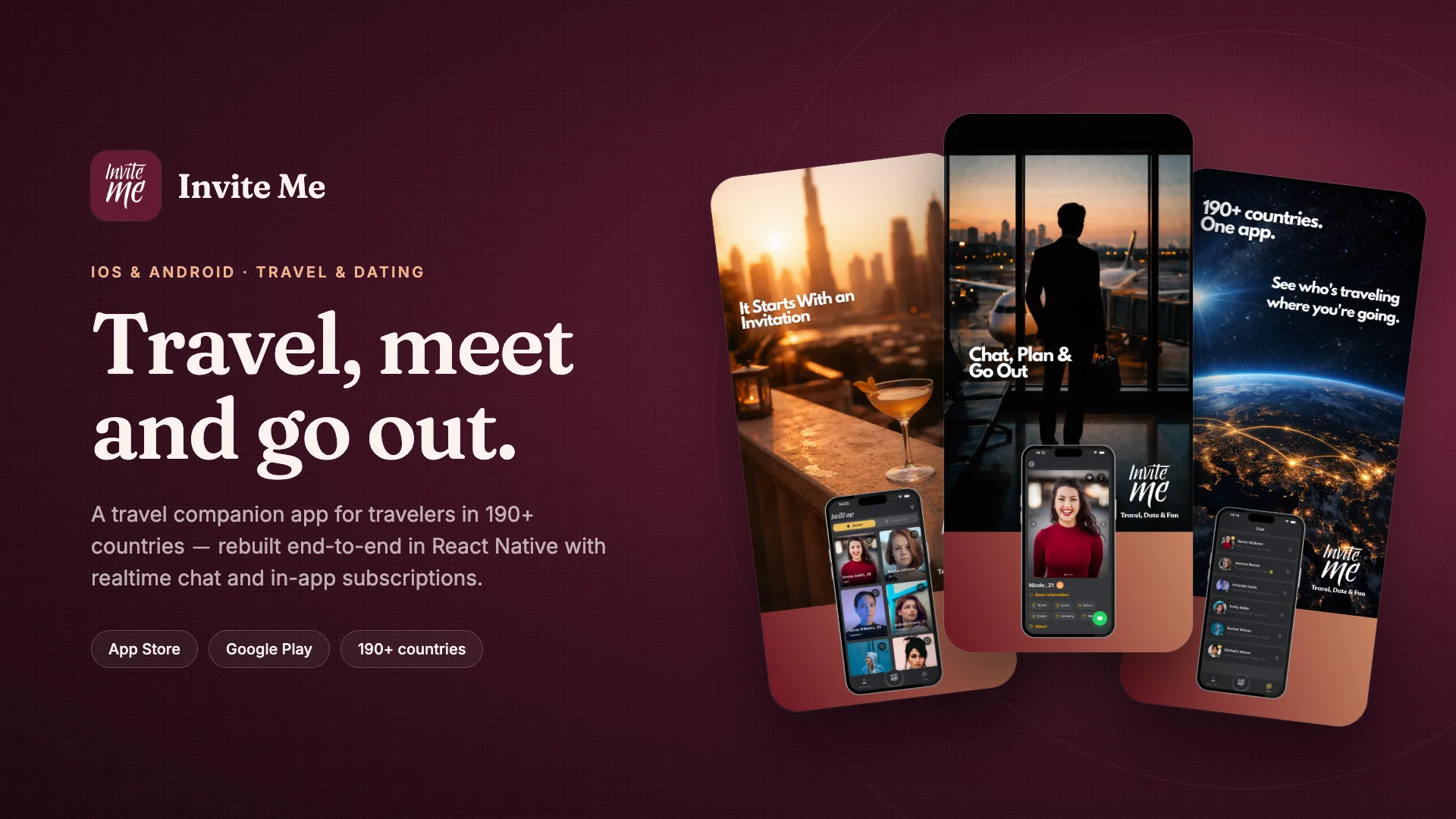
Invite Me is a travel meetup app that has been on the App Store since 2016. For version 8 we rewrote it in React Native and Expo, so iOS and Android now run on one codebase. The rewrite included realtime chat through Firebase, sign-in with Apple and Google, and in-app subscriptions on both platforms. It took 3 months from start to release.
A rewrite of a live app is a different job from a new build: existing users, existing subscriptions and existing store listings all have to carry over. That project is a large part of why we plan migrations carefully and keep the store accounts and release history in the owner's hands.
Our own apps, built the same way
Zamgo is our own app: fuel price alerts for drivers in Turkey, built with React Native and Expo and live on the App Store and Google Play. It works without accounts and collects no personal data, which keeps it simple for users and simple to maintain.
Kinnest, a baby tracker, is in development. It is offline-first, storing data on the device with expo-sqlite and syncing through Supabase when a connection is available. Subscriptions run through RevenueCat, errors are tracked with Sentry, and there are no ads. Building our own products means we deal with store reviews, OS updates and user feedback directly, not only on behalf of clients.
When React Native is the right choice, and when it is not
For most apps businesses and startups need, one codebase is the right call: booking and ordering apps, membership and content apps, internal field tools, marketplaces, trackers and dashboards. These are built from lists, forms, maps, media, payments and notifications, and React Native handles all of them well.
Some apps are better built natively: games and heavy 3D graphics, advanced augmented reality, or apps that need low-level access to unusual hardware. If your project falls into that group, we will say so in the first call and talk through the options with you.
Our stack for mobile projects
React Native and Expo, written in TypeScript.
Back end: Supabase for fast starts, or Node.js or .NET with PostgreSQL when the project needs a custom API.
Firebase where realtime chat or push messaging fits better.
expo-sqlite for offline-first apps that must work without a connection.
RevenueCat for in-app subscriptions, Sentry for crash and error tracking.
A web admin panel in React or Next.js when your team needs to manage content, users or orders.
Hiring a React Native developer or working with a studio
If you are looking to hire a React Native developer, you are usually buying hours. That works well when you already have a product owner, a designer and someone to run releases, because the other roles around the code are covered.
Working with a studio, you agree on a defined result. Together we write down the scope; then we design the interface, build the app and the back end, take care of store submission and hand everything over to you. Design, store accounts and replies to Apple or Google reviewers are part of the same project.
How a project runs
First call: we talk about who the app is for, the core flow and what it needs to connect to. We reply to new messages within 1 business day.
Written scope and quote: feature list, screens, timeline and price, agreed before work starts, so you can plan your budget with a price that stays the same.
Design: the core flow first, then the remaining screens after your approval.
Development with weekly previews: every week you get a build to install on your own phone, so you can give feedback while changes are still easy to make.
Testing and store submission: we prepare privacy texts, permission strings and store listings, and if a store rejects the app we fix the issue and resubmit.
Handover: source code, store accounts and all service accounts stay in your name, so you can continue with any team later.
After launch
A mobile app benefits from regular care. Apple and Google introduce new version requirements every year. Apps that are not updated can gradually become invisible on new devices. Maintenance is a recurring yearly need and covers OS and store-policy updates, library upgrades, crash monitoring and bug fixes. We agree its scope and cost with you in writing, alongside the project quote.
If you plan to keep adding features, there is an ongoing monthly retainer, for at least 3 months. You can also move the code to your own team at any point.
Process
How we work
We follow the same four steps on every project, so you always know where we are and what comes next.
01 · 1–5 days
Getting to know you
We listen to your idea and clarify what you need together. At the end we share a written scope and price.
02 · 1–2 weeks
Design
We shape the screens together. You see a clickable prototype and can ask for a round of changes.
03 · Every week
Development
Each week we send a link to the working version and take your feedback.
04 · First 30 days
Launch and after
We launch together. For the first 30 days we are there for every question that comes up.